Rufus is now Alexa for Shopping: what changed for sellers
Rufus was Amazon's shopping assistant. In May 2026 Amazon announced Alexa for Shopping, powered by Alexa+, and said it will replace Rufus. The job is unchanged: it answers shopper questions from your listing and your reviews, so the fix is still clearer catalog data, answered questions and concrete facts.
Key takeaways
- The assistant was renamed, not removed. Alexa for Shopping replaces Rufus and answers inside the main search bar.
- Four inputs are confirmed: catalog data, community Q&A, customer reviews and public web pages. Images and A+ content are not confirmed.
- Amazon's usage figures are its own attribution, not a controlled test, and none of them are broken down by product.
- No seller-facing report shows assistant traffic, so measure the listing through rank and conversion instead.
- Change one thing at a time, and check what competitors changed in the same window before claiming a result.
What happened to Rufus?
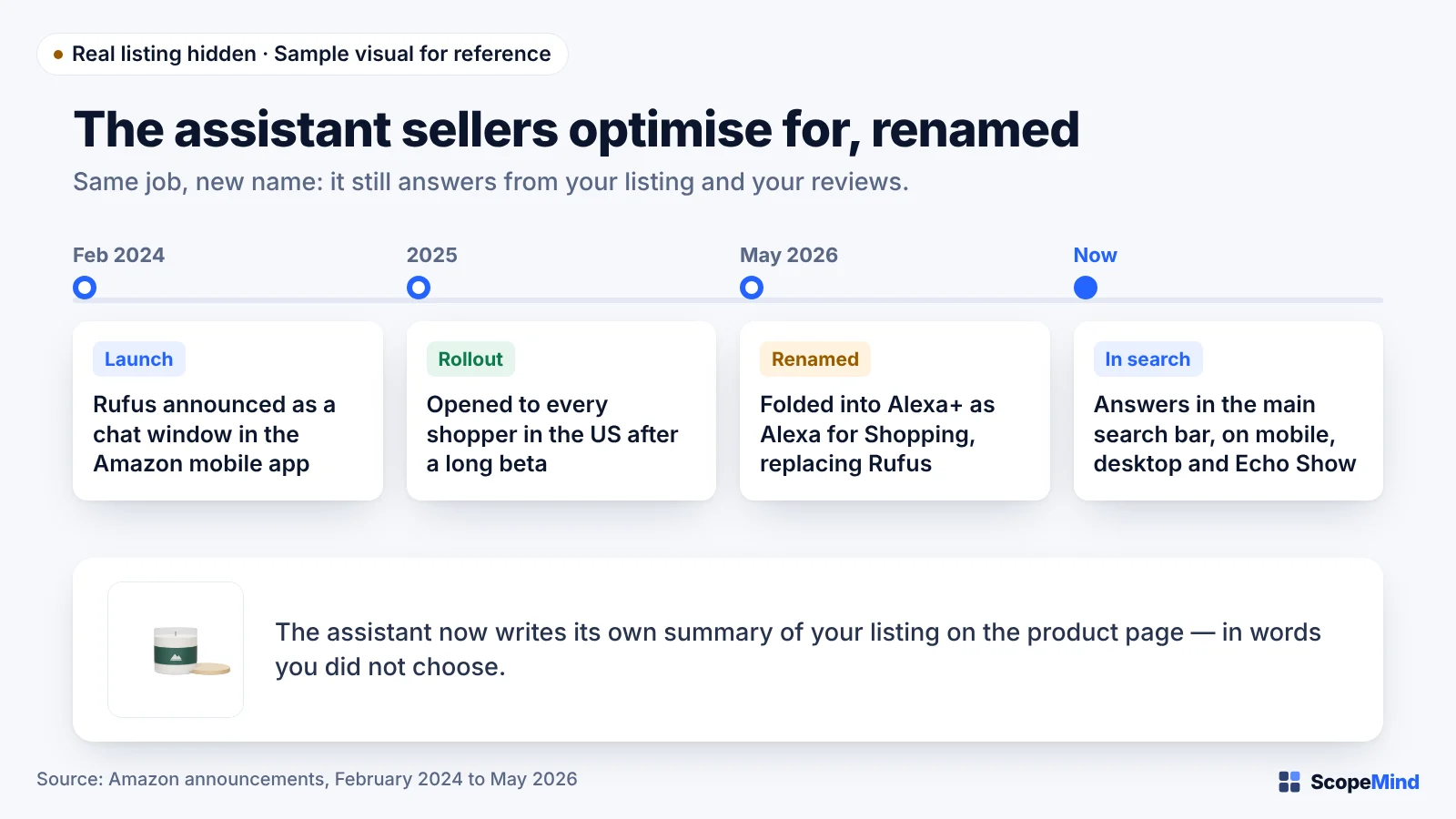
Amazon retired the name in May 2026 and folded the assistant into Alexa+, under the name Alexa for Shopping.
Rufus was announced in February 2024 as a chat window in the Amazon mobile app, and after a long beta it opened to every shopper in the United States. The replacement answers inside the main search bar as well as in a chat window, and works on mobile, desktop and Echo Show. It needs no Prime membership and no Echo device.
What the new assistant adds on top of Rufus:
- Product comparison and price tracking, with a year of price history.
- Scheduled and conditional actions, such as adding an item to the cart once its price falls to a set level.
- Generated buying guides and summaries shown on result pages and on product detail pages.
- Buy for Me, which completes purchases on other stores.
- Personalised recommendations based on habits, preferences and purchase history.
For sellers, two of these matter most. Answers now sit in the main search bar, so more shoppers meet the assistant before they ever see a results grid. And the generated summaries on product pages describe your listing in words you did not write.
Why does it matter for listing performance?
Because a large share of shoppers now ask a question before they buy, and the answer is built from your listing and your reviews.
Amazon's own figures explain the attention. On its Q3 2025 earnings call Amazon said 250 million shoppers had used Rufus that year, with monthly active users up 140% and interactions up 210% year over year, and that shoppers who used the assistant were 60% more likely to buy than those who did not. After Q4 it put the full-year figure at more than 300 million customers and nearly $12 billion in incremental annualised sales.
Those numbers deserve care, and it is worth being explicit about why:
- They are Amazon's own attribution, not a controlled test. Amazon measures downstream impact over a seven-day rolling window, and the method rests on assumptions about customer behaviour.
- The conversion gap compares users with non-users. Shoppers who open an assistant may already be closer to buying.
- None of it tells you about your ASIN. There is no public breakdown by category or product.
The safe conclusion is narrower, and still useful: enough shoppers now ask questions before buying that the answers built from your listing are worth shaping.
What does the assistant read from your listing?
Four inputs Amazon has named consistently since launch, and only the first is fully yours.
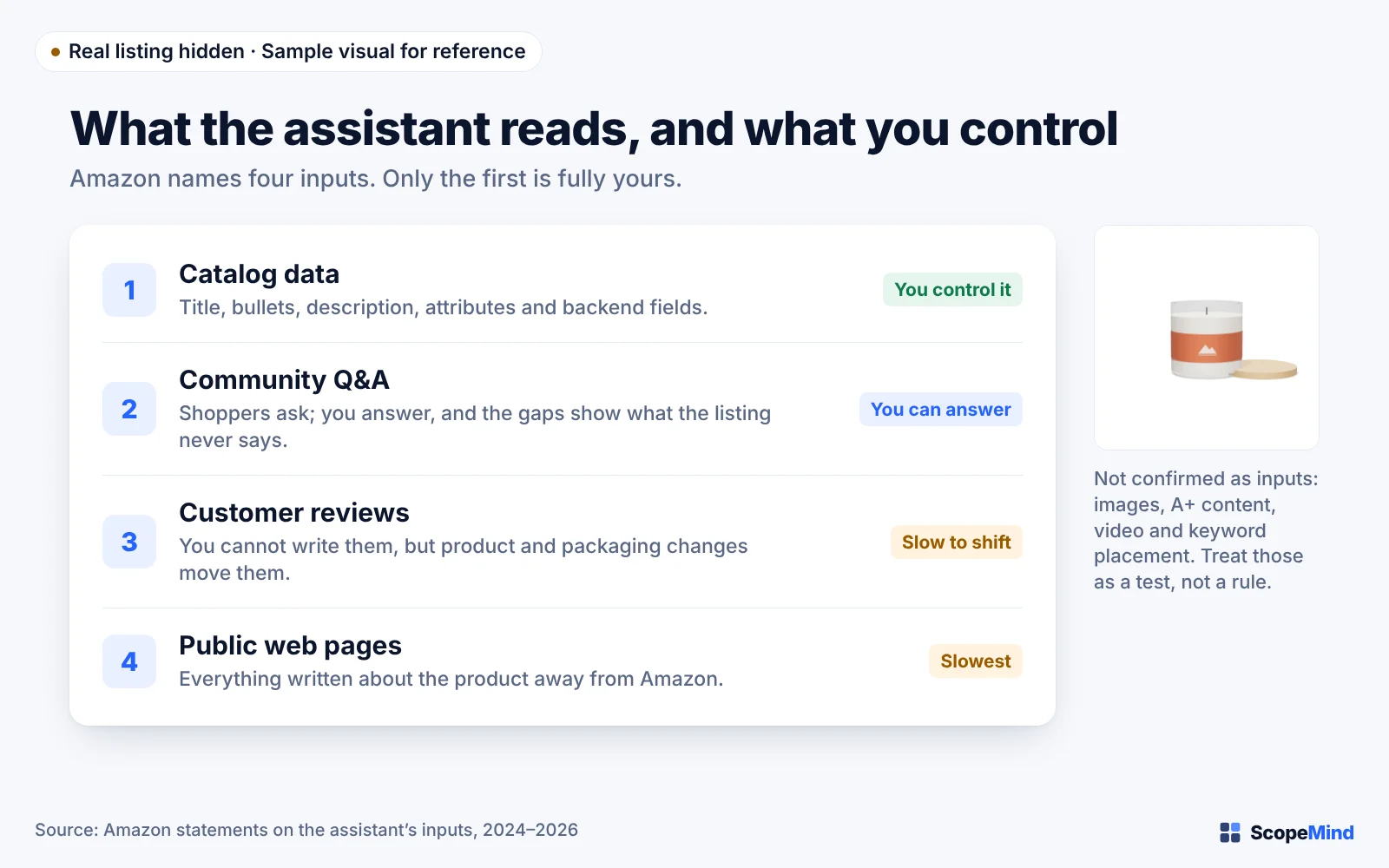
The model learned from the Amazon catalog, from shopper reviews, from community questions and answers, and from public web pages. When it compares options, it draws on a synthesis of reviews and product details.
What Amazon has not confirmed is just as useful to know: images, A+ content, video and specific keyword placement have never been named as direct inputs to the assistant. Plenty of advice treats them as signals. They may well be. Treat that as a hypothesis to test rather than a rule to follow.
How do you optimise a listing for an AI shopping assistant?
Shift from "which keywords" to "which questions", then answer each one with a fact the assistant can quote.
A shopper typing into a search bar asks in sentences, and an assistant answers with facts it can find. That is the core of Rufus listing optimization, and it still applies under the new name.
Start with a question audit
Ask the assistant about your own product and read the answers: what the product is for, what people like, what they do not like, and what shoppers buy instead. The answers show which objections and comparisons are already linked to your ASIN. Write them down, then sort them into three lists: objections, comparisons and use cases.
Turn objections into bullets
Each recurring doubt deserves a bullet that answers it with something specific: a dimension, a material, a capacity, a compatibility list. A weak bullet says "durable and long-lasting" and gives an assistant nothing to quote. A strong one says what the product is made of and how it was tested. Our bullet point guidelines cover the format rules.
Fill every attribute
Structured fields are the cleanest catalog data you own. An empty attribute is a question the assistant has to answer from somewhere else, usually the reviews.
Answer the comparison directly
If the audit shows shoppers weighing you against a specific alternative, say plainly what your product does differently. A size or capacity chart helps the shopper even where its effect on the assistant is unproven.
Answer questions before they pile up
Community questions are a confirmed input. Answer them with the same facts you put in the bullets, so the listing and the Q&A agree.
Change one thing at a time
This is the step most sellers skip. Rewrite title, bullets and images in one afternoon and you will never know which change helped, or which one hurt.
How do you measure whether it worked?
You cannot measure the channel, because no seller-facing report shows assistant traffic. So measure the listing instead.
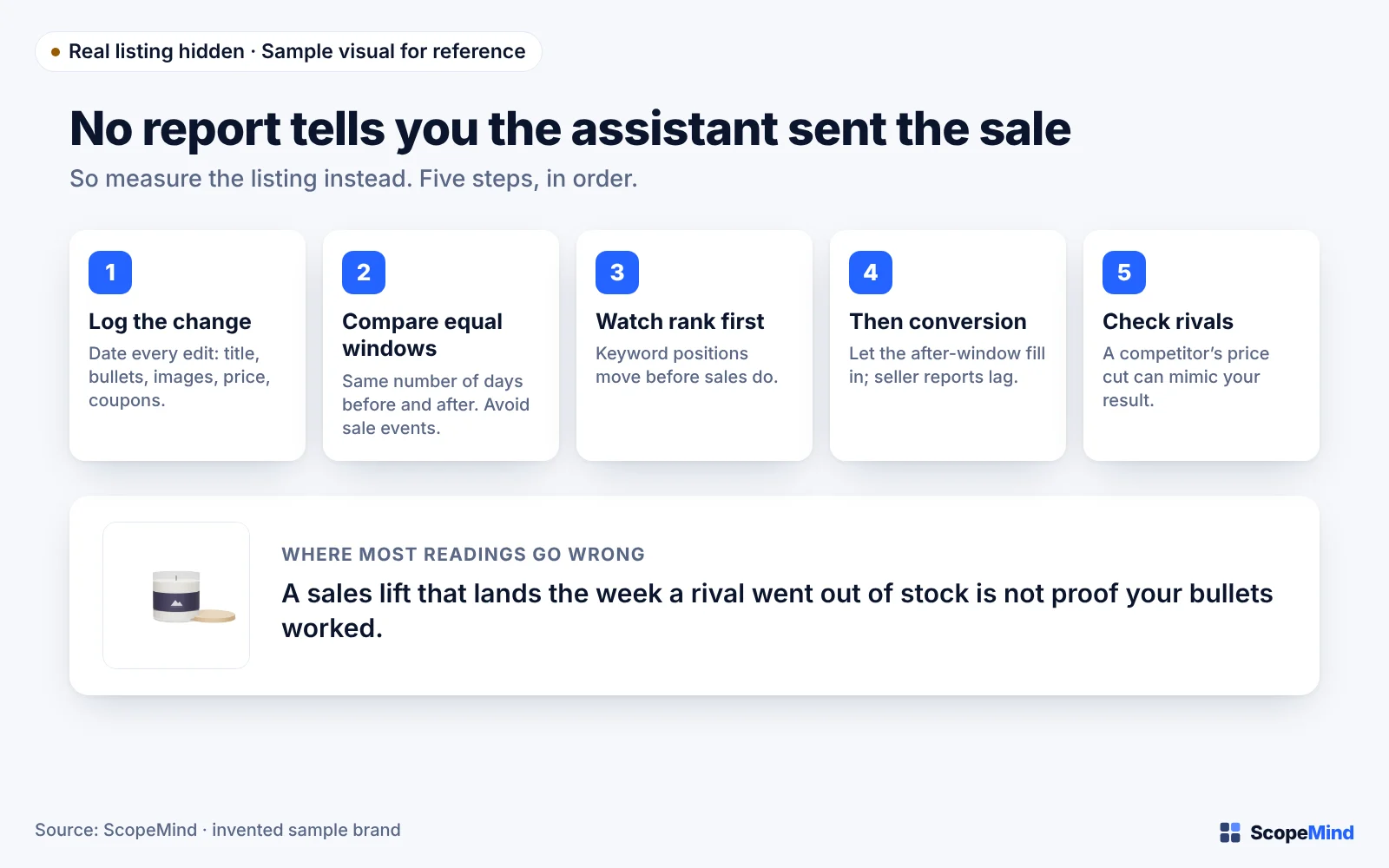
- Log every change with a date. Title, bullets, images, price, coupons. Without a change log, before-and-after numbers are guesswork.
- Compare equal windows. The same number of days before and after, avoiding windows that straddle a sale event.
- Watch keyword positions, not just sales. Organic rank on the questions you turned into keywords is the earliest signal that the listing reads better.
- Then watch conversion rate. If the assistant summarises your listing more favourably, shoppers who reach the page should convert better. Let the after-window fill in completely, because seller reports lag the calendar.
- Check what competitors changed in the same window. A rival's price cut or new images can mask, or mimic, the effect of your own change.
The fifth step is where most analyses go wrong. A sales lift that coincides with a competitor going out of stock is not proof that your bullets worked. That is the job ScopeMind is built for: tracking your listings and your competitors' daily, flagging every change, and lining rank and sales up around it.
If you are new to measuring at this level, start with what an ASIN is and why it is the unit everything collects on, then read how the Buy Box interacts with listing performance.
Frequently asked questions
- Did Amazon get rid of Rufus?
- The brand, yes. In May 2026 Amazon announced that Alexa for Shopping would replace Rufus, merging it into Alexa+. The underlying idea, a conversational assistant answering from listings and reviews, continues.
- Is Amazon Rufus an AI agent?
- Rufus was a conversational assistant running on an in-house language model built for shopping. Alexa for Shopping goes further toward an agent: it can schedule orders, add an item to a cart when a price condition is met, and buy on other stores.
- Is Amazon Alexa using AI now?
- Yes. Alexa for Shopping runs on Alexa+, and it is now the shopping assistant inside Amazon's search bar, on mobile, desktop and Echo Show.
- Can sellers see how much traffic comes from Rufus or Alexa for Shopping?
- Not directly. Nothing Amazon has published describes a seller-facing traffic or sales report for the assistant. You measure listing changes through rank, conversion and sales, and control for what competitors changed.
- How do I optimize an Amazon listing for Rufus now?
- The same way, under a new name. Run a question audit, answer the biggest objection in your bullets with a concrete fact, fill every attribute and answer open Q&A. Then measure for two to four weeks before the next change.
- What is Amazon doing with AI in shopping?
- It is moving from a chat window toward an assistant that acts. Comparison, price tracking, scheduled orders and purchases on other stores are all part of Alexa for Shopping, so more buying decisions pass through an AI summary of the listing.
See what your listing changes actually did
ScopeMind tracks your listings and your competitors' every day, and lines up rank and sales around each change.
Start tracking listing changes