What is the Amazon Buy Box and how do you win it?
The Amazon Buy Box, which Amazon now calls the Featured Offer, is the offer a shopper buys from when they press Add to Cart or Buy Now on a product page. When several sellers offer the same product, Amazon picks one to feature. Price, delivery, stock and a good seller record decide who gets it.
Key takeaways
- The Buy Box is the featured offer on a product page. Most shoppers buy from it without looking at the other sellers.
- Amazon picks the featured offer from eligible sellers. You need a Professional selling plan, and the criteria vary by category.
- Price including delivery, delivery speed, stock and your record with customers all count. The lowest price alone does not guarantee it.
- Check your share as the Featured Offer percentage in Business Reports.
- A new seller, a lower rival price or your own stock-out usually comes before a loss. Watch for them.
What is the Amazon Buy Box?
It is the box on the right of a product page, with the price and the Add to Cart and Buy Now buttons, that belongs to one seller at a time.
On Amazon, many sellers can sell the same product on one product page. The shopper sees one price and one seller in the box; the others are listed further down or behind a link to all buying options. Amazon now calls the box the Featured Offer, but sellers still mostly say Buy Box.
If you are the only seller of your own brand, the Buy Box still matters. When no offer meets Amazon's standards, the page shows no featured offer at all, only a button to see all buying options, and far fewer shoppers buy.
How does the Amazon Buy Box work?
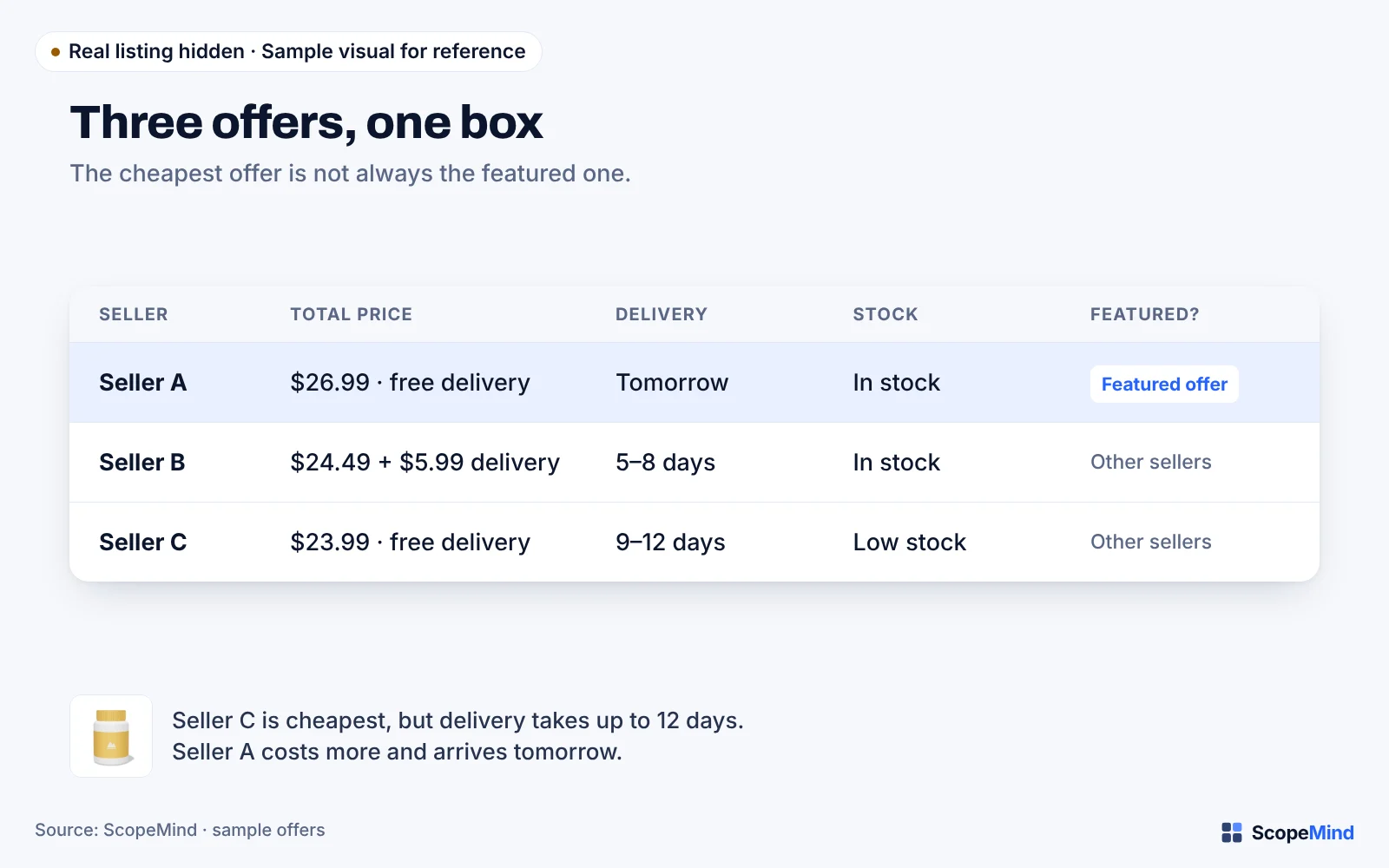
Amazon looks at every eligible offer for the product and features the one it expects to serve the shopper best.
To be eligible you need a Professional selling plan. Amazon's criteria vary by category, and Amazon does not publish how much each one counts. These are the ones it and sellers' experience agree on:
| What counts | What it means in practice |
|---|---|
| Price, including delivery | The total the shopper pays, compared with the other offers on the page |
| Delivery speed and cost | Faster and free delivery make an offer more likely to be featured |
| Stock | An offer with no stock cannot be featured |
| Your record with customers | Orders shipped on time, few cancellations and few complaints |
What is Buy Box percentage, and where do you see it?
It is the share of your product's page views in which your offer was the featured one, shown as the Featured Offer percentage in Seller Central.
Open Business Reports and the Detail Page Sales and Traffic report, by child item or by ASIN. A product where you are the only seller and in stock should sit close to the top of the scale. A lower figure on your own brand is a warning: another seller, or no featured offer at all, is taking views that should be yours.
For a quick check of a single product, the Manage All Inventory page also shows whether your offer currently holds the featured offer.
How do you win the Buy Box?
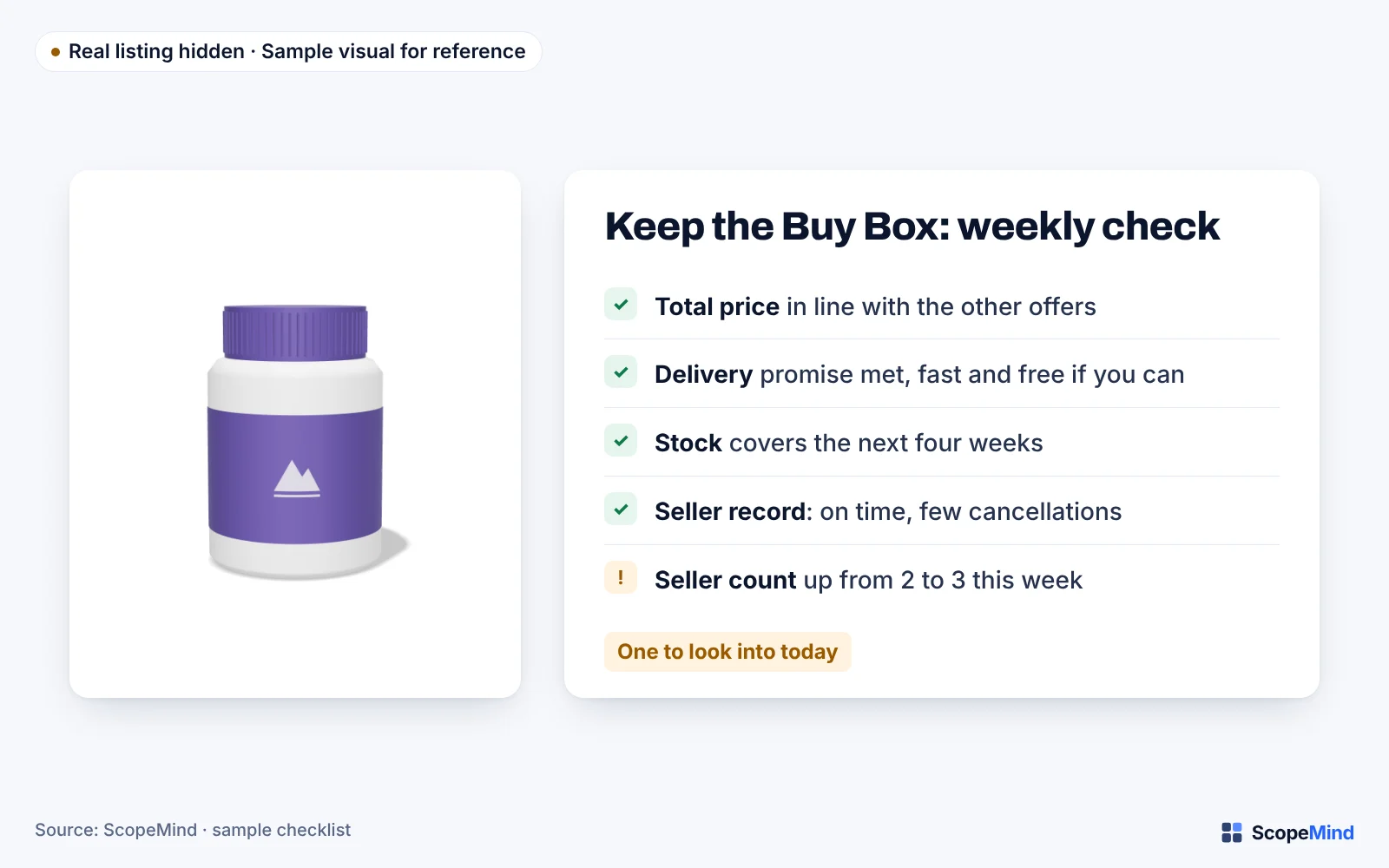
Make your offer the easiest one to pick: a fair total price, fast delivery, stock that does not run out and a clean seller record.
- Price on the total. Compare your price plus delivery with the other offers on the page, not your item price alone.
- Speed up delivery. Faster and free delivery count. Fulfilment by Amazon is one way to get both; meeting fast delivery promises yourself is another.
- Never run out. Reorder before stock runs low. A stock-out hands the box to someone else, and you may have to earn it back.
- Keep your record clean. Ship on time, cancel rarely and answer customers quickly.
- Check your Featured Offer percentage weekly for your main products, and look into any drop the same day.
What changes come before losing the Buy Box?
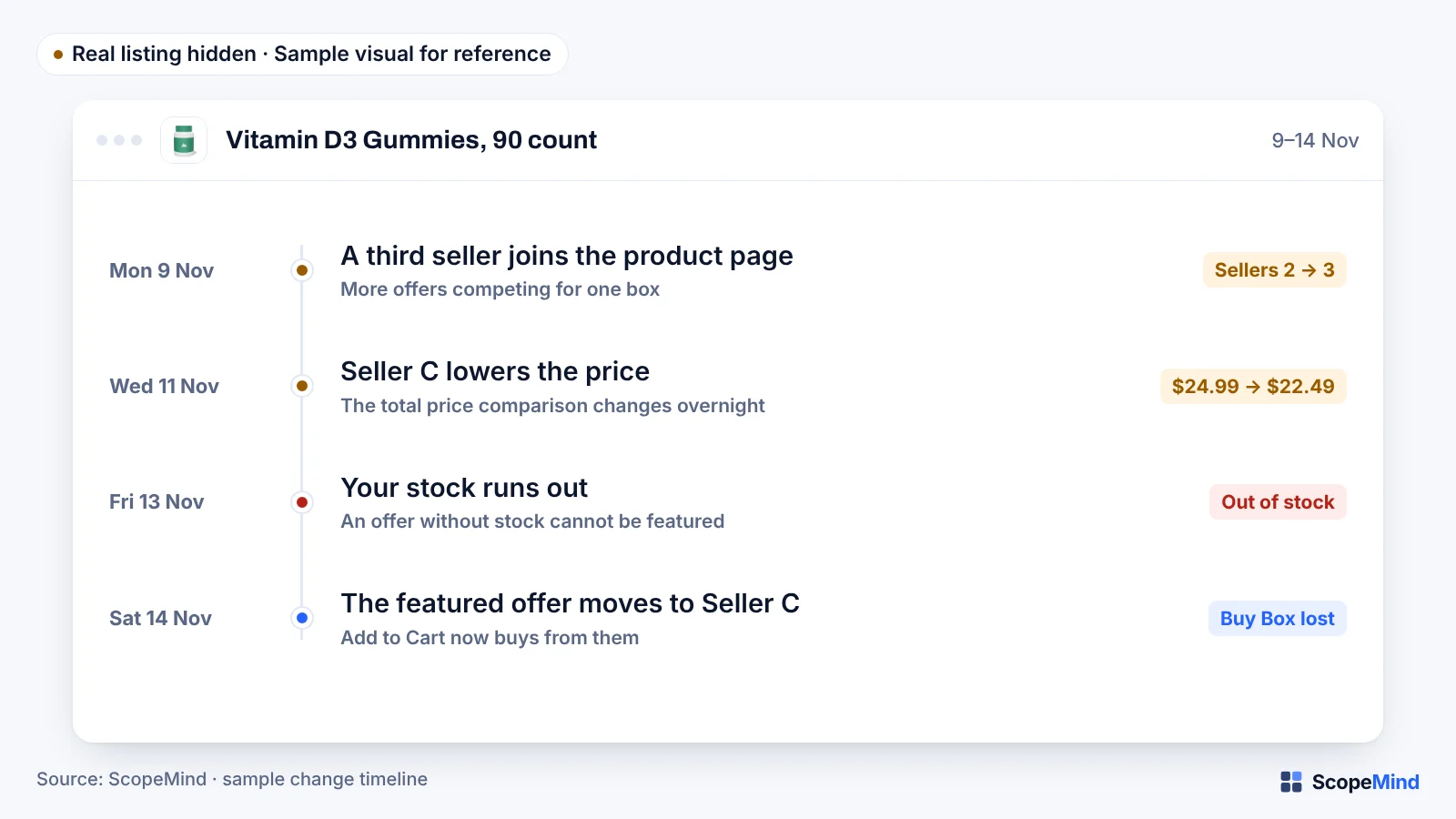
Usually one of three: a new seller joins the product page, another seller lowers the price, or your own stock runs out.
Each of these shows on the product page before it shows in your reports. A rise in the number of sellers means someone new is competing for the same box. A rival's price drop changes the comparison overnight. Your own low stock is the one you control completely.
For products that many sellers carry, watch the number of offers and the price daily. ScopeMind records the price and the number of sellers for every product you track, yours and your competitors', and shows each change on one timeline, so a new seller or a price cut does not reach you a week late through your sales report.
Do not answer every price cut with your own. Check whether the other seller can keep that price and keep stock first. Matching a short sale can cost margin for nothing.
Frequently asked questions
- Is the Buy Box the same as the Featured Offer?
- Yes. Amazon now calls it the Featured Offer. Sellers and most tools still say Buy Box, and both names mean the offer behind the Add to Cart and Buy Now buttons.
- Do I need the Buy Box if I am the only seller?
- You still need to be eligible. A sole seller is usually the featured offer, but if the price, delivery or stock does not meet Amazon's standards, the page can show no featured offer at all and shoppers must click through to see buying options.
- What is Buy Box percentage?
- It is the share of your product page views in which your offer was the featured one. You find it as the Featured Offer percentage in the Detail Page Sales and Traffic report under Business Reports in Seller Central.
- Does the lowest price always win the Buy Box?
- No. Price matters, but Amazon also looks at delivery speed and cost, stock and how reliably the seller serves customers. A slightly higher price with faster delivery can win.
- Why is there no Buy Box on my listing?
- If no offer meets Amazon's criteria, the product page shows a button to see all buying options instead of Add to Cart. Common causes are a price that looks high, slow delivery or no stock.
Know when a new seller or price cut arrives
ScopeMind tracks price and seller count on your products and your competitors' every day, next to every listing change.
Start tracking your listings