How to optimize your Amazon listing for Rufus (Alexa for Shopping)
To optimize your Amazon listing for Rufus, now called Alexa for Shopping, write the facts shoppers ask about in plain words: size, material, care, fit and what is in the box. Amazon says the assistant answers from product listings, customer reviews and community Q&A, so a listing that answers questions clearly gives it more to use.
Key takeaways
- Rufus is Amazon's AI shopping assistant. Amazon renamed it Alexa for Shopping on 13 May 2026.
- Amazon says it answers from the product catalog, customer reviews, community Q&A and information from across the web.
- Amazon has not published how the assistant chooses products, so treat any "Rufus ranking secret" as a guess.
- What you control: clear, specific facts in your title, bullets, description and product details, and a product that earns good reviews.
- Ask the assistant about your own product and your competitors' to find the questions your listing leaves unanswered.
What is Amazon Rufus, and what is Alexa for Shopping?
They are the same thing: Amazon's AI shopping assistant, first launched as Rufus in 2024 and renamed Alexa for Shopping in May 2026.
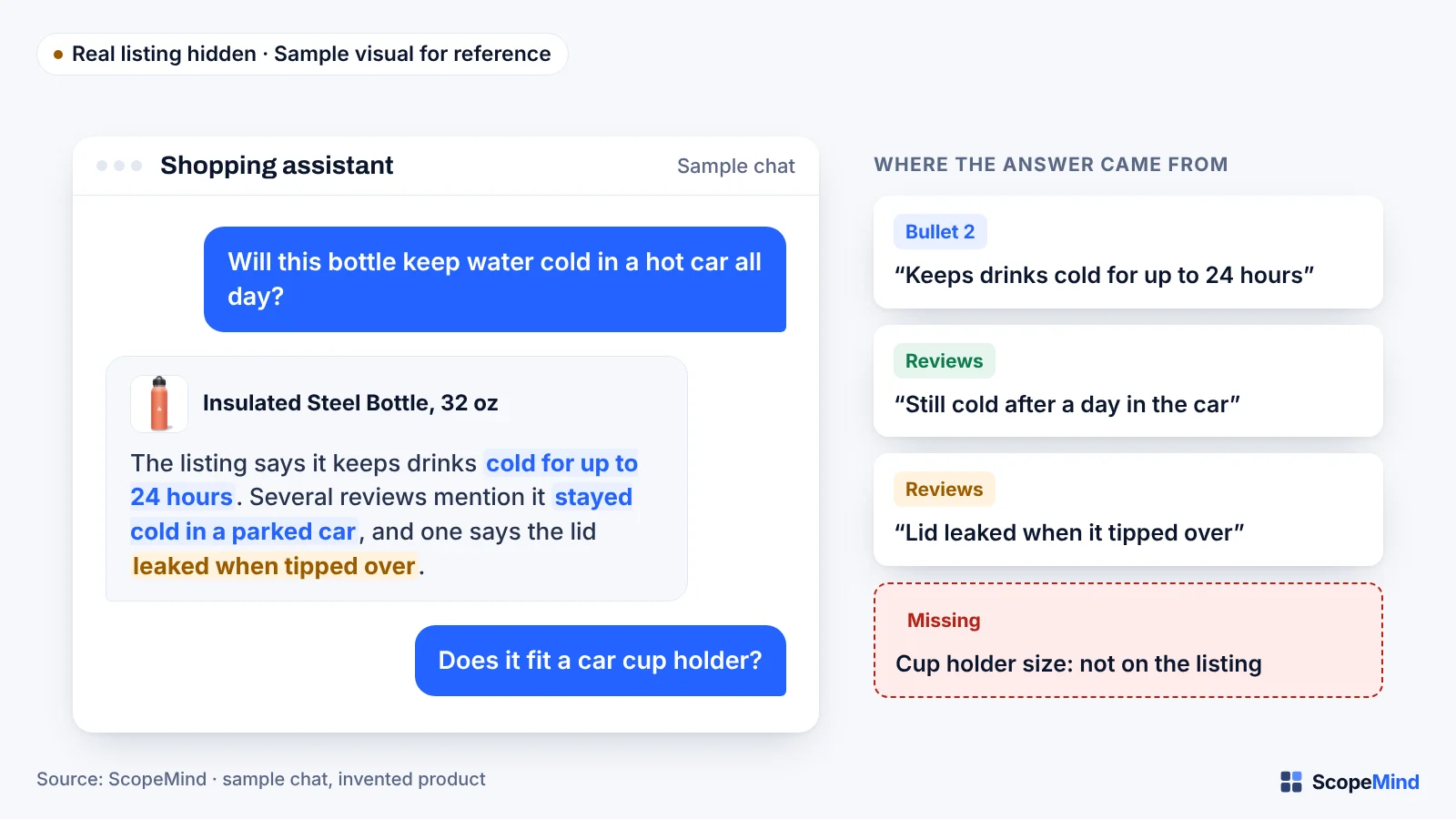
Shoppers type or speak a question in the Amazon Shopping app or on the website, such as "which bottle keeps drinks cold longest?" or "is this one dishwasher safe?", and get a written answer with products to look at. They can ask about one product, compare several, or start from a need without knowing what to search for.
Both names are still in use. Sellers, agencies and most guides kept saying Rufus after the rename, so this guide uses both.
Where does Alexa for Shopping get its answers?
Amazon says the assistant draws on its product catalog, customer reviews, community Q&A and information from across the web.
For a seller, that means two things. First, your own listing text is a source: if a fact is written there, the assistant can repeat it. Second, your reviews are a source too, so what buyers say about the product travels into answers whether you like it or not.
Amazon also says the assistant will not always get things right. If a fact is missing or unclear on your listing, the answer can be vague, or it can lean on reviews and outside pages instead of on you.
What has Amazon confirmed, and what is guesswork?
Amazon has said what the assistant reads, not how it picks or orders products, so most "Rufus optimization" advice is a guess.
| Claim you will hear | What Amazon has said | What to do with it |
|---|---|---|
| It answers from listings, reviews and Q&A | Confirmed | Make the listing answer the questions shoppers ask |
| Rufus is now Alexa for Shopping | Confirmed: renamed 13 May 2026 | Nothing to change on your listing |
| It does not always get things right | Confirmed | Ask it about your product and check the answers |
| There is a special set of "Rufus keywords" | Nothing published | Treat as a guess; write plain, specific facts instead |
| You know how it picks which products to suggest | Nothing published | Be wary of anyone who claims to |
When a guide gives you a precise rule for the assistant, ask where Amazon said it. If there is no Amazon source, it is someone's test or opinion, not a rule.
How do you optimize your Amazon listing for Rufus?
Find the questions shoppers ask about products like yours, then answer each one on the listing in plain, specific words.
- Collect the questions. Read your reviews, your customer messages and your return reasons, and the reviews on your main competitors' products. Write down every question that comes up more than once.
- Answer each one on the listing. Put the answer in a bullet, the description or the product details: "fits most car cup holders" beats "fits anywhere".
- Fill in the product details. Size, capacity, material, care and what is in the box belong in the structured fields as well as the text, and they should agree.
- Cut what says nothing. "Premium quality" and "perfect gift" answer no question. Replace them with a fact a shopper could check.
- Make every part agree. If the title says 32 oz and an image says 30 oz, the assistant and the shopper both get a mixed message.
- Ask the assistant yourself. Open your product and ask your list of questions. Where the answer is vague or missing, that is your next edit.
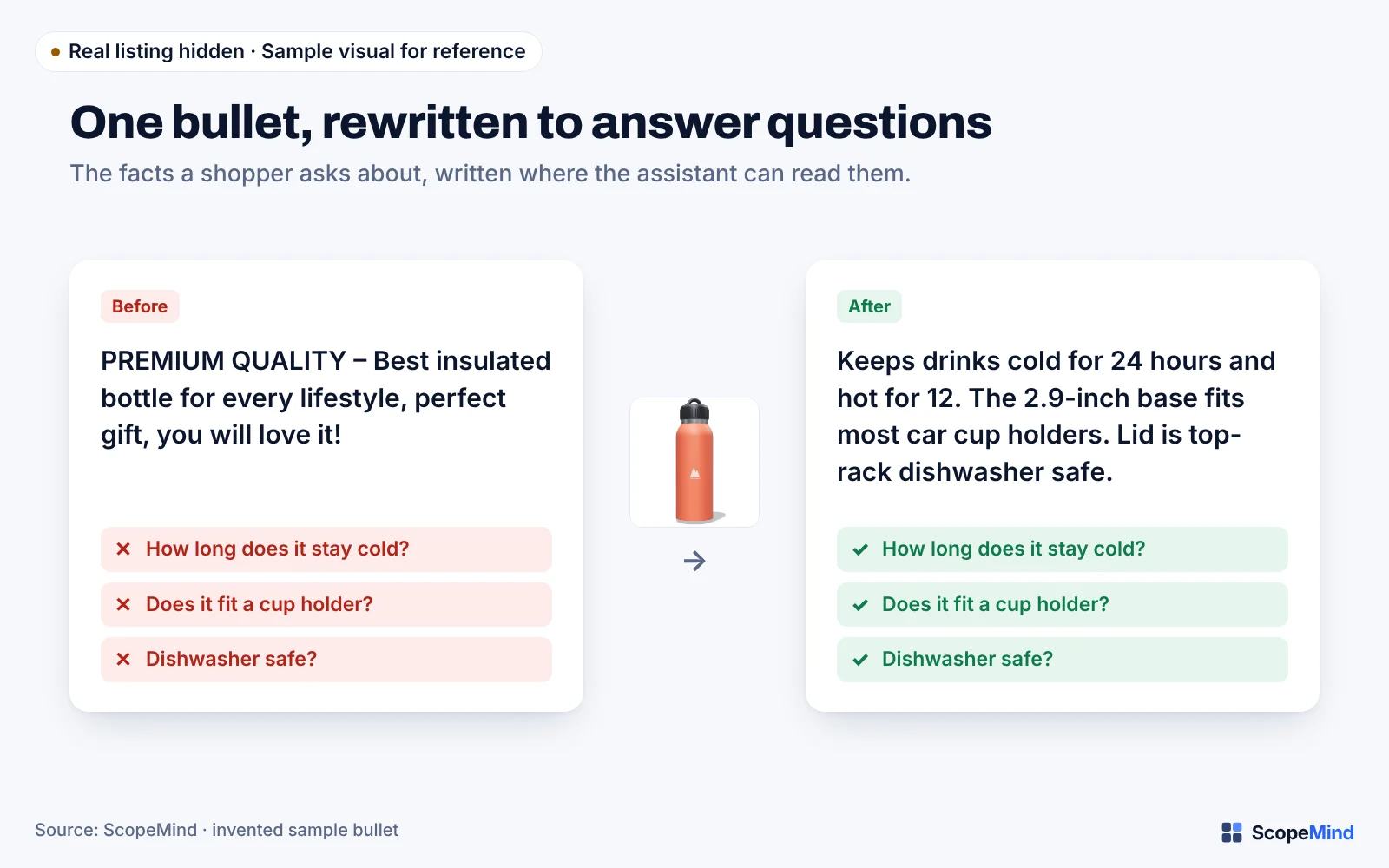
The same facts help in ordinary search too. Our guides to Amazon bullet points and how Amazon SEO works cover the rules for each part of the listing.
What should you not do?
Do not stuff the listing with question phrases, and never try to plant answers through fake reviews or questions.
- Question stuffing. A bullet made of strings like "best bottle for car, best bottle for gym" reads badly to shoppers and answers nothing.
- Fake reviews or Q&A. Amazon's rules forbid manipulating reviews, and the risk to your account is far larger than any gain.
- Claims you cannot support. A fact the assistant repeats has to be true. If buyers' reviews contradict it, the answer can say so.
How do you see what your competitors are changing?
Watch their listings over time: the facts they add to bullets, descriptions and images show which questions they are trying to answer.
When a competitor adds "fits most cup holders" to a bullet, they are answering a question that shoppers in your niche ask too. ScopeMind tracks your competitors' titles, bullets, descriptions, images and A+ content every day and shows each edit with its before and after, so you see which answers they added and when.
Frequently asked questions
- Is Rufus still called Rufus?
- No. Amazon renamed Rufus to Alexa for Shopping on 13 May 2026. Many sellers and guides still say Rufus, so you will see both names for the same shopping assistant.
- Is there a special Rufus field in Seller Central?
- Amazon's announcements describe the assistant reading the product catalog, customer reviews and community Q&A, not a separate field for sellers. The work is making the listing you already have answer questions clearly.
- Can I see what the assistant says about my product?
- Yes. Open your product in the Amazon Shopping app or on the website and ask it the questions a shopper would. Do the same on your main competitors' products and note which answers are vague or missing.
- Do keywords still matter if shoppers ask questions instead of searching?
- Yes. Shoppers still search, and the assistant still needs the words that describe your product. The difference is that plain, specific facts now do double duty: they help search and they give the assistant something to quote.
- Can negative reviews show up in its answers?
- They can. Amazon says the assistant draws on customer reviews, so a complaint many buyers repeat can appear in an answer. Fixing the cause, and stating the related fact clearly on the listing, is the response that lasts.
See which answers your competitors add
ScopeMind tracks every change to your competitors' listings, from bullets to images, with the before and after side by side.
Start tracking competitors