What is Amazon listing optimization? A plain guide for sellers
Amazon listing optimization is the work of improving a product page so more shoppers find it in search, click on it and buy. It covers the title, images, bullet points, A+ content, backend search terms and price. It is not a one-time job: change one thing, measure the result, and compare it with your competitors.
Key takeaways
- A listing has three jobs: get found, get the click, get the sale. Each part of the listing does one of them best.
- Fix the weakest job first. More traffic does not help a page that does not convert.
- Change one thing at a time, and give it two to three weeks before you judge it.
- A before-and-after comparison misleads when a competitor moved in the same weeks. Read your result next to theirs.
- A tool saves time on the record keeping and the measuring. The decisions stay yours.
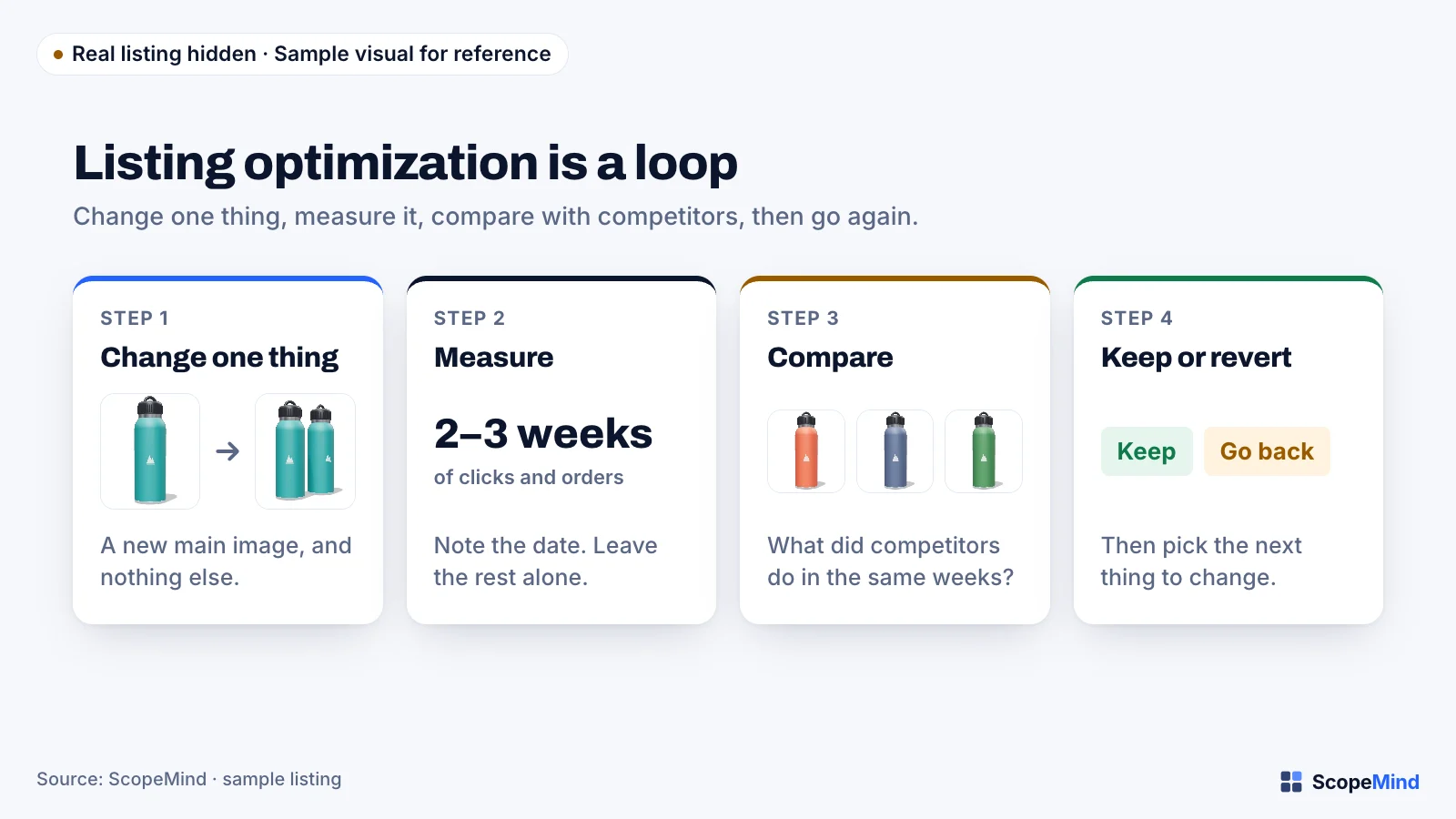
What is Amazon listing optimization?
It is improving every part of a product page so that Amazon shows it to more shoppers, and more of the shoppers who see it buy.
A listing has three jobs. It has to be found when a shopper searches. It has to win the click on a results page full of similar products. And it has to make the sale once the shopper opens the page. Listing optimization is the work of making each of those three steps a little better.
Amazon describes its own side of this in its guide to search optimization for sellers: use the words shoppers search for, write clear titles and bullet points, show good images and price sensibly. The rest of this guide is about doing that in an order that works, and checking that it did.
Which parts of an Amazon listing can you optimize?
Seven parts: the title, the main image, the other images and video, the bullet points, A+ content, the backend search terms and the price.
Each part does one of the three jobs better than the others. Knowing which is which tells you where to look when a number is weak.
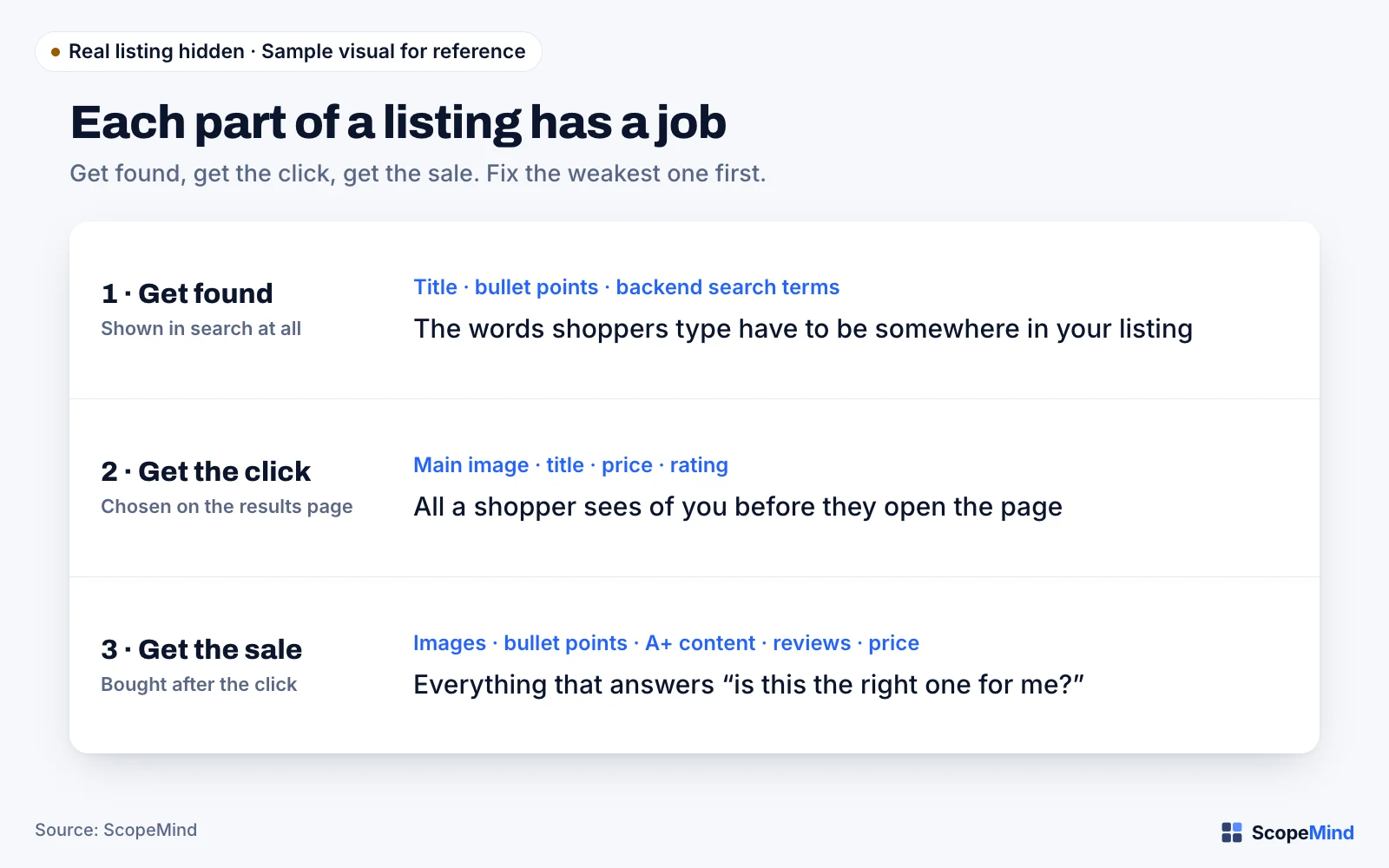
| Part of the listing | Its main job | What good looks like |
|---|---|---|
| Title | Get found, get the click | Says what the product is in plain words: brand, product type, size, main variant. Most categories now have a 75-character title limit. |
| Main image | Get the click | The product alone on a white background, large in the frame and clear at thumbnail size |
| Other images and video | Get the sale | Answer what a shopper would ask in a shop: how big, how it is used, what is in the box |
| Bullet points | Get found, get the sale | One benefit per bullet, with the detail that makes it believable |
| A+ content | Get the sale | For registered brands: the product in use, the proof behind the claims, and the rest of your range |
| Backend search terms | Get found | Words shoppers use that did not fit in the visible text, such as synonyms and other spellings |
| Price and coupon | Get the click, get the sale | Makes sense next to the products shown beside you on page one |
How do you optimize an Amazon product listing, step by step?
Find which of the three jobs is weakest, change one part that does that job, and measure the result.
- List the search terms that matter. Type your product into the Amazon search box, note what it suggests, and look at which products sit on page one for each term. Those products are your real competitors.
- Find the weak job. If you are low or missing for your main terms, the problem is being found. If you rank but get few sessions, it is the click. If sessions are fine but few turn into orders, it is the sale. The business reports in Seller Central show sessions and the share of them that bought.
- Put your listing next to page one. Compare your main image, title, price and first bullet with the top products for your main term. The gap is usually visible.
- Change one part. One title rewrite, or one new main image, or one price. Not three at once.
- Write down the date and keep a copy of the old version, so you can go back.
- Wait two to three weeks, then compare your numbers before and after, and check what competitors changed in the same weeks.
- Keep it or go back, then move to the next weakest part.
Why is listing optimization a loop and not a one-time job?
Because your competitors, Amazon's rules and shoppers all keep changing, a listing that was right in spring can be behind by autumn.
Competitors test new main images, add coupons and rewrite titles all year. Each of their changes moves the page your listing is shown on, even when your listing has not changed. Amazon changes the rules too: the 75-character title limit made many sellers rewrite titles that had worked for years.
So the useful habit is not one big rewrite. It is a short loop you repeat: change one thing, measure it, compare with competitors, decide, and go again.
How do you know whether a listing change worked?
Compare your numbers before and after the change, then check what your competitors did in the same weeks.
The second half is the part most sellers skip. In the sample below, orders rose 18% in the three weeks after a new main image. Read alone, that is a win. Read next to competitors, one of them was out of stock for twelve of those days and another ended a coupon. Some of the lift came from their moves, not from the image.
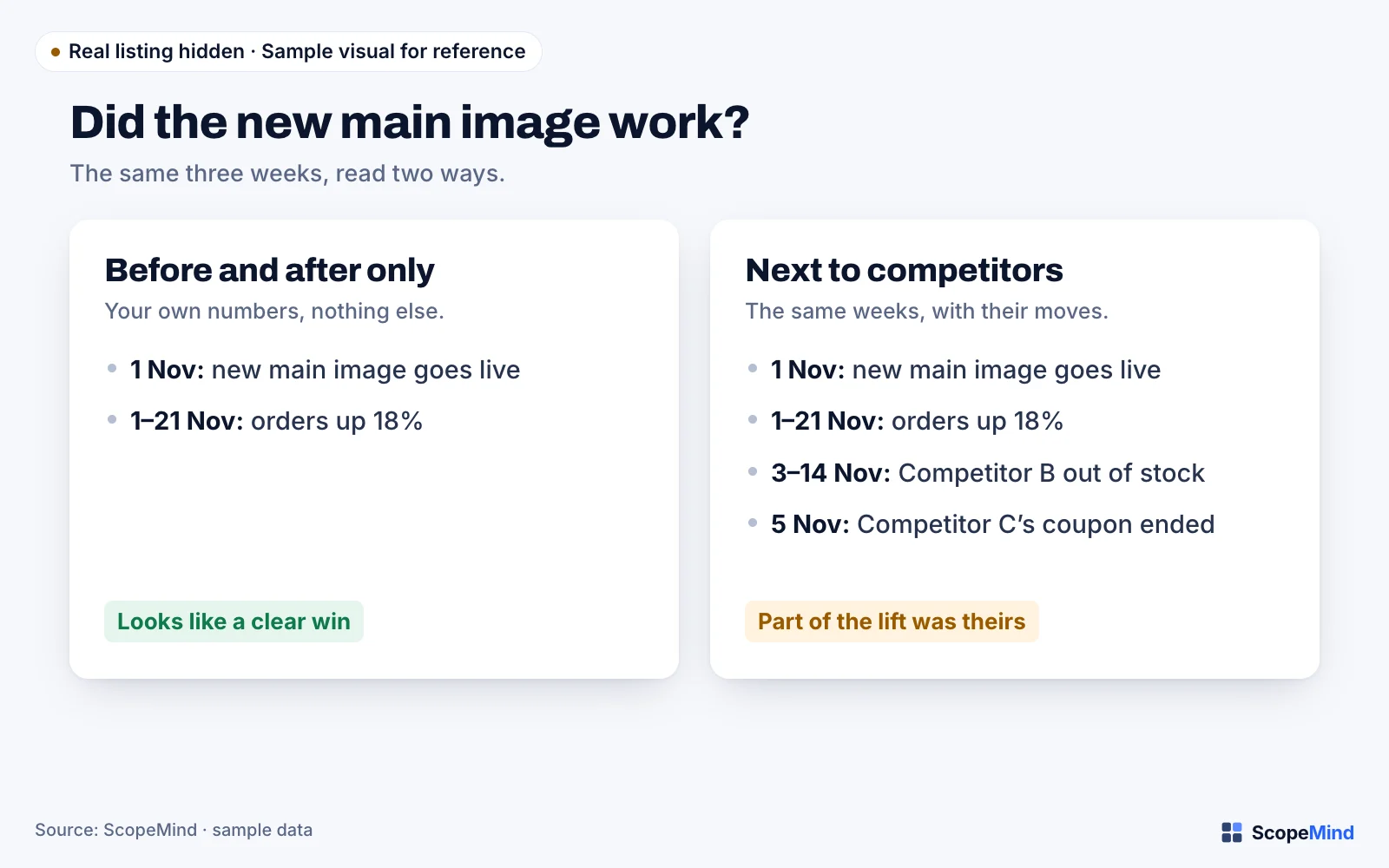
Doing this by hand means keeping a dated record of every competitor's price, coupon, images and stock. ScopeMind's Track Impact does the comparison for you: you mark the change you made, and it measures your result against what the competitors in your niche did over the same period.
If your brand is registered, Amazon's Manage Your Experiments can also test two versions of a title, image or A+ content against each other at the same time. It answers "which version is better?". It does not tell you what competitors were doing meanwhile.
Do you need an Amazon listing optimization tool?
Not to start, but a tool saves time on the two slow parts: seeing what competitors change, and measuring your own changes.
The writing and the decisions stay with you. What a tool should take off your hands is the record keeping. When you compare tools, check for these:
- A daily record of every part of the listing, yours and your competitors', with before and after for each change.
- Keyword positions every day, with organic and sponsored positions shown apart.
- Changes and rank on one timeline, so you can see what came before a climb or a drop.
- A way to measure your own change against what competitors did in the same weeks.
What are the most common listing optimization mistakes?
Changing several things at once, judging too early, and copying a competitor without knowing whether their change worked.
- Changing everything in one go. If the title, main image and price all change on the same day, you cannot tell which one helped or hurt.
- Judging after two days. Title and image changes work through clicks and conversion first. Rank follows over weeks.
- Writing for the search engine only. A title packed with search terms may be found, and then lose the click to a title a person can read.
- Copying a competitor's change. You saw them change their main image. You did not see whether it worked. Watch their rank for a few weeks first.
- Sending more traffic to a page that does not convert. Fix the sale before you pay for more clicks.
Frequently asked questions
- How long does Amazon listing optimization take to show results?
- Price and coupon changes usually show within days. Title, image and A+ changes tend to take one to three weeks, because they work through clicks and conversion first. Judge a change after two to three weeks, not after two days.
- How often should you update an Amazon listing?
- When you have a reason: a weak number, a competitor move that worked, or a rule change from Amazon. Changing a listing every few days makes it impossible to tell which change did what.
- Can optimizing a listing hurt your rank?
- Yes. A title that drops a search term shoppers use, or a main image that gets fewer clicks, can lower your rank. That is why you change one thing at a time, note the date and keep the old version so you can go back.
- Is listing optimization the same as Amazon SEO?
- Amazon SEO is the part of listing optimization that is about being found in search. Listing optimization also covers what happens after a shopper finds you: the click and the sale.
- Do you need Brand Registry to optimize a listing?
- No. The title, images, bullet points, backend search terms and price can be improved without it. A registered brand adds A+ content and Manage Your Experiments, the A/B testing tool from Amazon.
Measure your listing changes against your competitors
ScopeMind records your listing and your competitors' listings every day, and shows what your change did next to what they did in the same weeks.
Start tracking listing changes