Black Friday on Amazon: what to watch on competitors' listings today
On Black Friday, watch five things on your Amazon competitors' listings: price, coupons, deal badges, main image and stock. Check them three times a day, not every hour. Most changes are short deals that end with the event, so answer only the ones that move your rank or sales, and change one thing at a time.
Key takeaways
- Price, coupons, deal badges, main image and stock are the competitor changes that matter most during Black Friday.
- A morning, midday and evening check is enough. Hourly checks lead to changes you undo the next day.
- A competitor's deal price is usually temporary. Look at your rank and sales before you match it.
- A rival running out of stock is a chance to sell more, not a reason to raise your price.
- Write down what changed and when. It is your plan for next year's event.
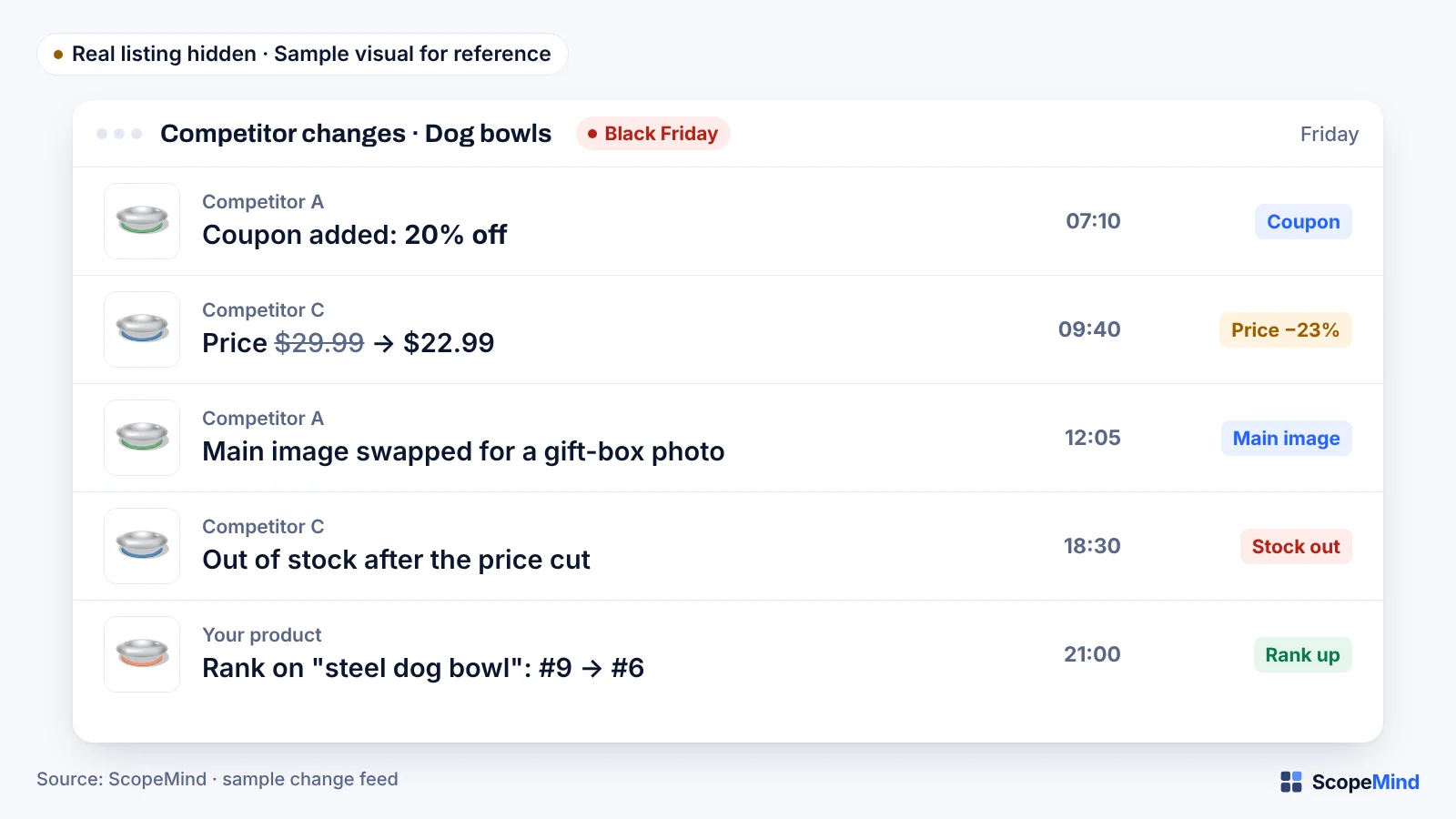
What should you watch on competitors' listings during Black Friday?
Watch the five things a shopper sees before they click: price, coupon, deal badge, main image and whether the product is in stock.
During the deal days most competitors change the same few things, often more than once. The table below is the order to check them in, starting with what moves sales fastest.
| What to watch | What a change usually means | What to do |
|---|---|---|
| Price | A deal price for the event, sometimes a new everyday price | Note it, then check your rank before deciding anything |
| Coupon | A percentage or money-off discount the shopper clips on the search result | Compare the price after the coupon with yours, not the list price |
| Deal badge | A time-limited deal, such as a Lightning Deal with a countdown | Expect it to end within hours; do not build a plan around it |
| Main image | A seasonal or gift-style photo to stand out in search | Look at it at search size next to yours |
| Stock | The deal sold more than they planned for | Check your own stock and ads on the searches they ranked for |
How often should you check during the deals?
Three times a day: in the morning for what went live, at midday for what moved, and in the evening for what ran out.
Amazon's Black Friday deals run for several days through Cyber Monday, and competitors switch many changes on and off in that time. Checking every hour mostly shows you changes that are reversed before they matter. A fixed rhythm keeps you calm and asks the same questions at every check.
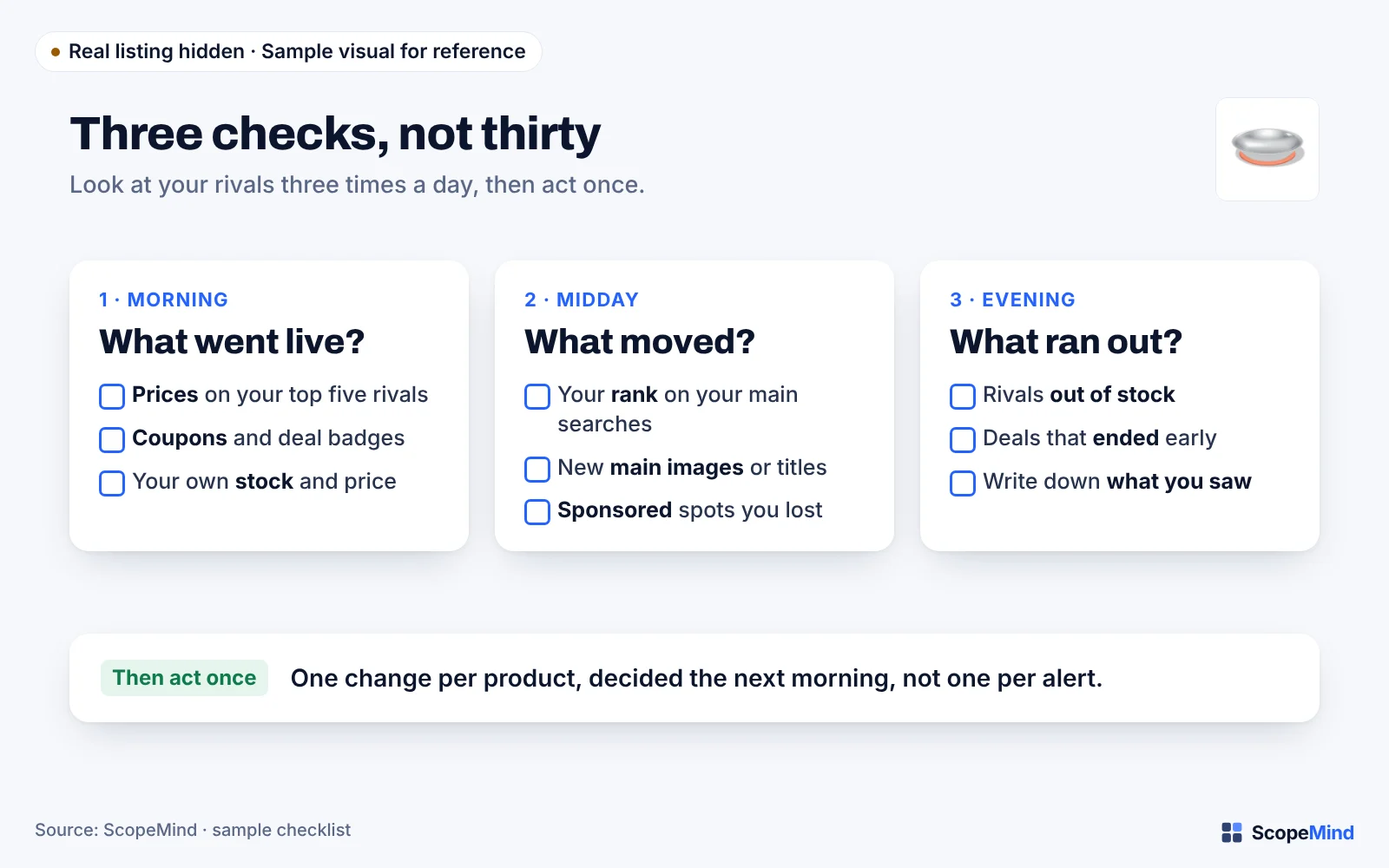
Morning: what went live?
Open the listings of your five closest rivals, the products that sit next to yours on your main search. Note each price, coupon and deal badge, and check your own stock and price while you are there.
Midday: what moved?
Search your two or three main keywords and note where your product ranks, organic and sponsored. Look for a new main image or title on the rivals above you.
Evening: what ran out?
Check which rivals are out of stock and which deals have ended. Write one line per change with the time. That note is what you decide from the next morning.
A competitor cut their price. Should you follow?
Only when your rank or sales actually drop and you can keep your margin, because a deal price is usually gone after the event.
- Check whether it is a deal or a new price. A deal badge or a crossed-out price usually means a short event price.
- Look at your rank on your main search since the cut. No movement means shoppers are not switching.
- Count the price after coupons on both sides. A coupon on your listing can close the gap without changing your price.
- Decide once, the next morning, and write down what you changed and when.
To compare offers on more than price, use our step-by-step competitor analysis template.
What should you do after the weekend?
Compare each rival's listing before and after the event, and keep the notes for next year.
Some competitors keep their Black Friday price, image or title after Cyber Monday; others switch everything back. A change that stays is a real move to answer. A change that disappears was the event, and you can let it go.
Doing this by hand for a whole niche is slow. ScopeMind checks your products and your competitors' every day and shows each price, coupon, image and title change on one timeline, next to your rank, so the weekend's changes are already written down for you.
Do not judge listing changes you made during the deal days against the weeks before. Traffic and prices move for everyone, so wait until the week after Cyber Monday to compare.
Frequently asked questions
- Should I match a competitor's Black Friday price?
- Not by reflex. Check first whether the cut is a short deal or a new everyday price, whether your rank has actually moved, and whether you can afford the margin. Many deal prices end with the event.
- How often should I check competitors during Black Friday?
- Three times a day is enough for most sellers: morning, midday and evening. Checking every hour mostly leads to changes you undo the next day.
- What is the difference between a coupon and a deal on Amazon?
- A coupon is a percentage or money-off discount the shopper clips on the search result or product page, and it is applied at checkout. A deal, such as a Lightning Deal, is a time-limited offer with its own badge, limited by time, quantity or both.
- What should I do when a competitor runs out of stock?
- Make sure your own stock and delivery are ready, and check that your ads still run on the searches where they ranked. Do not raise your price in the same hour; shoppers compare, and the rival may be back soon.
- Should I change my main image or title for Black Friday?
- Only if you have a reason you can measure. A change during the busiest days is hard to judge, because traffic and prices move for everyone. If you test something, change one thing and write down the date.
See every competitor change in one place
ScopeMind tracks prices, coupons, images and titles on your products and your competitors' every day.
Start tracking your competitors