Amazon main image requirements and best practices
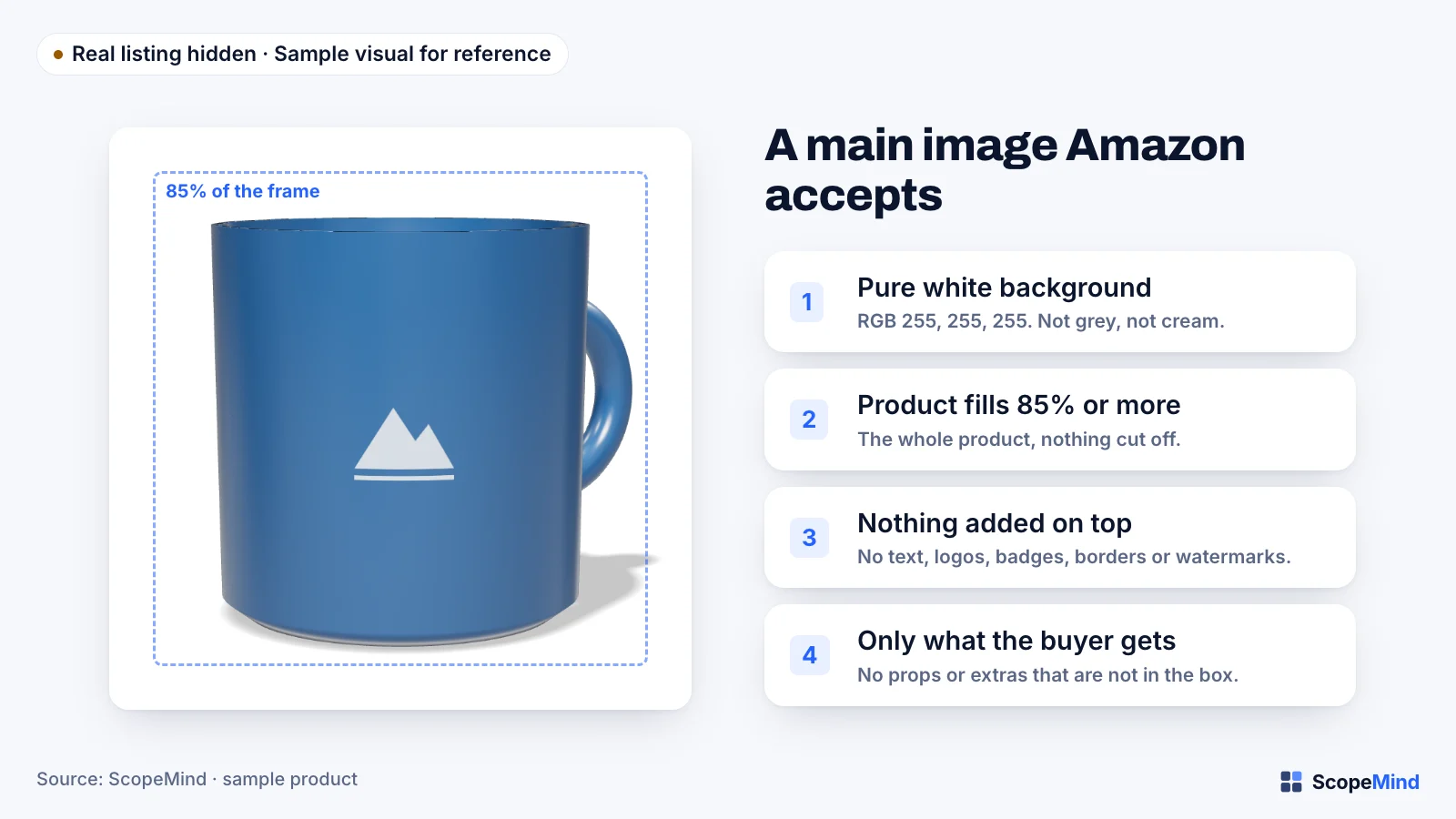
Amazon main image requirements come down to four rules: a pure white background, the product filling at least 85% of the frame, nothing added on top such as text, logos or badges, and only the product the buyer receives. Amazon accepts 500 to 10,000 pixels on the longest side and prefers more than 1,000.
Key takeaways
- The main image is the one shoppers see in search results. It has stricter rules than the other images in the gallery.
- Pure white means RGB 255, 255, 255. Light grey or cream does not count.
- Upload at least 1,000 pixels on the longest side so zoom works. A 2,000-pixel square is a safe choice.
- Following the rules is the minimum. The image also has to be easy to recognise at thumbnail size, next to your competitors.
- Change the main image one step at a time and measure each change, because it is the strongest lever on clicks.
What are Amazon's main image requirements?
The main image must show only the product for sale, on a pure white background, filling most of the frame, with nothing added on top.
The main image is the first picture in your gallery and the one Amazon shows in search results. Amazon's own guide to product photos sets out the basics: a white background with RGB values 255, 255, 255, the product filling 85% or more of the frame, and a clear picture with no jagged edges.
| Requirement | What it means in practice |
|---|---|
| Pure white background | RGB 255, 255, 255 from edge to edge. No grey, no cream, no visible table or shadow box. |
| Product fills 85% or more of the frame | Crop close. The whole product is visible and nothing important is cut off. |
| Nothing added on top | No text, logos, badges, borders, colour blocks or watermarks over the product or the background. |
| Only the product for sale | No props or accessories that are not included, so the shopper is not confused about what arrives. |
| A real, sharp photo | In focus, well lit, not pixelated, true to the product's colour. |
Some categories have their own image guidelines on top of these. Clothing is the best-known example. Check the style guide for your category in Seller Central before a photo shoot.
What size should an Amazon main image be?
Between 500 and 10,000 pixels on the longest side, and more than 1,000 pixels if you want shoppers to be able to zoom.
Amazon states the range as 500 to 10,000 pixels on the longest side and says it prefers images larger than 1,000 pixels, because that is what switches on zoom on the product page. Zoom matters: it lets a shopper check the material and the details before buying.
For most products, a square image of about 2,000 by 2,000 pixels is a safe choice. It is sharp when zoomed, and a square uses the whole slot in search results. A tall or wide product still goes in a square file; crop so that the longest side of the product nearly touches the edges.
| Setting | Amazon's rule | A safe choice |
|---|---|---|
| Longest side | 500 to 10,000 pixels; more than 1,000 preferred | 2,000 pixels |
| File format | JPEG, TIFF, PNG or non-animated GIF; JPEG preferred | JPEG |
| Background | White, RGB 255, 255, 255 | Check the corners with a colour picker |
| Product in the frame | 85% or more | As close as you can without cutting anything off |
What is not allowed in an Amazon main image?
Anything that is not the product itself: text, logos, badges, borders, coloured backgrounds, watermarks and props.
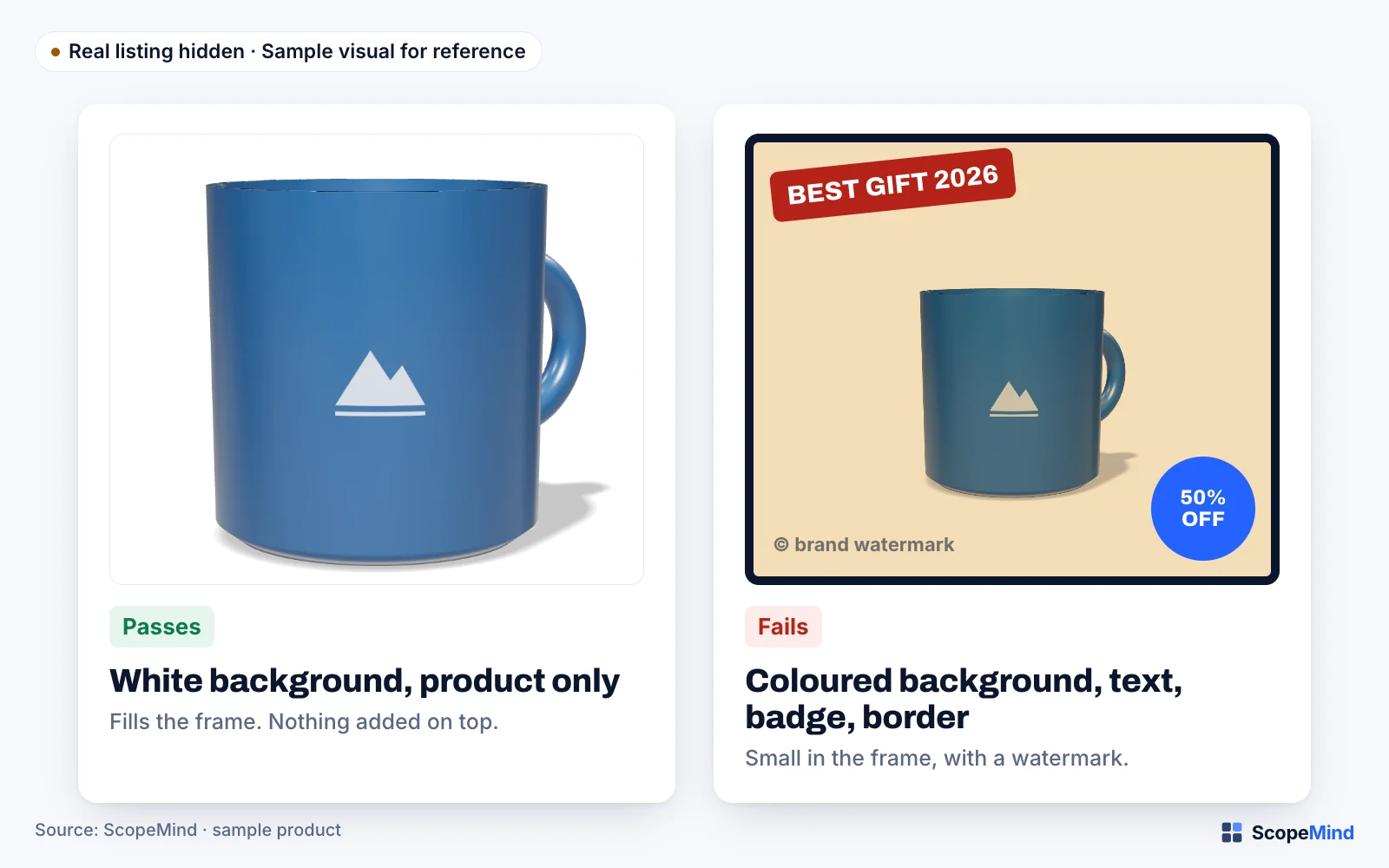
The image on the right breaks the rules in five ways at once, and each of them is common. Sellers add a "best seller" style badge, a discount circle or a row of feature icons because they want to stand out in search. That is exactly what the rule exists to stop.
A logo printed on the product is different. It is part of what the buyer receives, so it can be in the picture. The same goes for packaging when the packaging is part of the product, such as a gift box.
If a main image does not follow the rules, Amazon can hide the listing from search until you fix it. The words, infographics and lifestyle scenes you wanted to show are welcome in the other image slots.
Which main image best practices make shoppers click?
The ones that make the product easy to recognise at thumbnail size, next to the products around it.
Shoppers do not see your main image at full size. They see it small, in a grid, beside your competitors. Every image in that grid has a white background, so the differences that are left are size in the frame, colour, angle and what is shown.
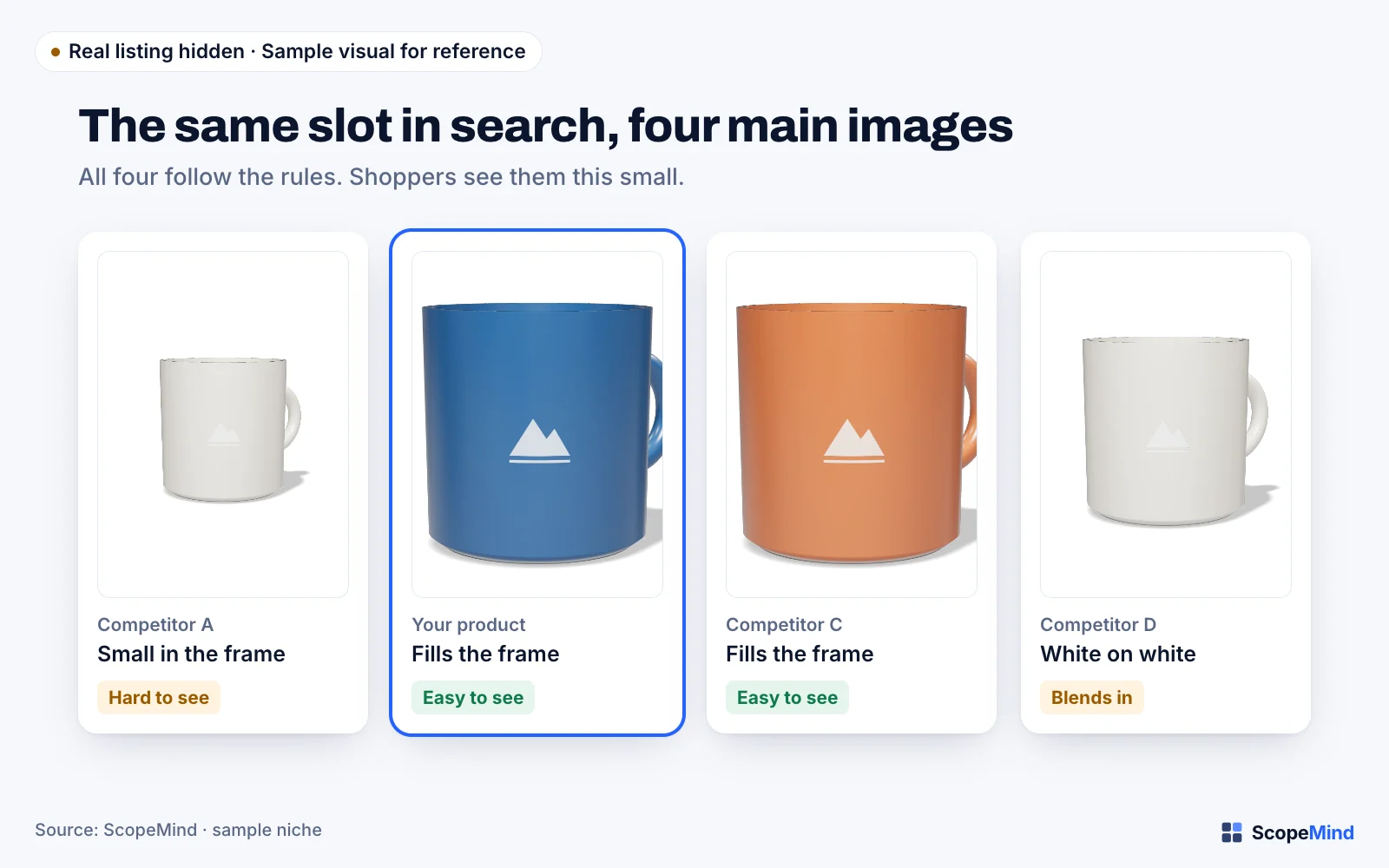
- Fill the frame. 85% is the minimum. A product that is small in the frame looks smaller and cheaper than the one beside it.
- Choose the angle that shows what it is. A shopper should know the product in a second, without reading the title.
- Check it at thumbnail size. Shrink the image to about the width of your thumb on a phone. If the product turns into a blob, crop closer or change the angle.
- Mind white on white. A white or clear product can vanish on a white background. Lighting that gives it a clean edge and a soft shadow fixes most of that.
- Show exactly what is in the box. If you sell a pack of two, show two. A shopper who can count the items does not need to read the title to trust the price.
- Look at your competitors first. Search your main term and take a screenshot. Your image has to be different enough to be noticed in that exact row.
How do you change a main image without guessing?
Change only the main image, note the date, and compare clicks and sales for two to three weeks with what your competitors did in the same period.
- Keep the old image file so you can go back.
- Change the main image only. Leave the title and price alone for now.
- Write down the date of the change.
- Watch your sessions, sales and keyword positions for two to three weeks.
- Check what the competitors in your niche changed in those weeks. A rival's price cut can hide a good image, and a rival going out of stock can flatter a bad one.
It also pays to watch competitors' main images. A competitor who changes theirs and then climbs has shown you what works in your niche. ScopeMind records every tracked product's images each day and tells you when a main image really changed, as opposed to Amazon saving the same picture again under a new file name.
Frequently asked questions
- What size should an Amazon main image be?
- Amazon accepts images from 500 to 10,000 pixels on the longest side and prefers more than 1,000 pixels so shoppers can zoom. A 2,000 by 2,000 pixel square is a safe choice for most products.
- Can an Amazon main image have text or a logo on it?
- No. Text, logos, badges, borders and watermarks added on top of the photo are not allowed in a main image. A logo that is printed on the product itself is part of the product and is fine.
- Can I use a lifestyle photo as my main image?
- No. The main image shows the product on its own on a pure white background. Photos of the product in use belong in the other image slots, where they do a lot of the selling.
- What happens if my main image breaks the rules?
- Amazon can hide the listing from search until the image is fixed. Seller Central shows the problem next to the listing. Upload an image that follows the rules and the listing comes back.
- How often should I change my main image?
- Only when you have a reason and a way to measure the result. Change one thing, write down the date, and watch clicks and sales for two to three weeks before you judge it.
See when a competitor changes their main image
ScopeMind checks your competitors' listings every day and shows each image change next to their rank, so you can see which changes worked.
Start tracking competitor listings