Amazon A+ content: examples, requirements and what shoppers notice
Amazon A+ content is the extra block of images, text and comparison charts that brand owners add lower on a product page. It needs a Professional selling account and a role on a brand in Brand Registry. Good examples answer one shopper question per module, read well on a phone, and stay inside Amazon's content rules.
Key takeaways
- A+ content sits below the bullet points and is read by shoppers who are already considering the product. Its job is the sale, not the search.
- You need a Professional selling account and a Brand Representative or Reseller role on a Brand Registry brand.
- Premium A+ adds video, hotspots and image carousels to the Basic modules. Each project uses one or the other.
- Prices, promotions, shipping details, contact details and links are not allowed. Review can take up to seven business days.
- Most reported A+ changes on competitors are not edits. Check what actually changed before you react.
What is Amazon A+ content?
It is a section of rich images and text that a brand adds to its product page, below the image gallery and bullet points.
Without A+ content, that part of the page shows a plain product description. With it, the brand builds the section from modules: a wide header image, image-and-text blocks, a comparison chart of its own products, and so on. Brands build it in a Seller Central tool called the A+ Content Manager.
Shoppers reach A+ content after the title, images, price and bullets. Someone who scrolls that far is weighing the purchase, so A+ content is where you answer the questions that keep them from buying.
What are the requirements for Amazon A+ content?
A Professional selling account plus a Brand Representative or Reseller role on a brand enrolled in Amazon Brand Registry, or generic products in your catalog.
That is the rule on Amazon's own A+ Content page. In practice it means most sellers get A+ through Brand Registry: you register your brand's trademark with Amazon, and the account that holds the brand role can create A+ content for that brand's products.
Amazon reviews every project before it goes live. Its A+ best-practices guide says review can take up to seven business days, longer when volume is high, and a fixed and resubmitted project takes the same time again. That is why getting it right the first time matters.
What is the difference between Basic and Premium A+ content?
Premium A+ adds video, interactive hotspots and image carousels to the Basic modules, but every project is built from one set or the other.
| Question | Basic A+ | Premium A+ |
|---|---|---|
| What can you use? | Text, images, a brand logo and other standard modules | The Basic modules plus Premium ones |
| Comparison chart? | Yes | Yes |
| Video, hotspots, carousels? | No | Yes |
| Mix both in one project? | No, one set per project | No, one set per project |
Amazon has changed who qualifies for Premium A+ and on what terms more than once. Check the current conditions in the A+ Content Manager rather than trusting a number from an older article.
What does good A+ content look like? Five examples
Good A+ content answers one shopper question per module, in words and pictures that still read on a phone.
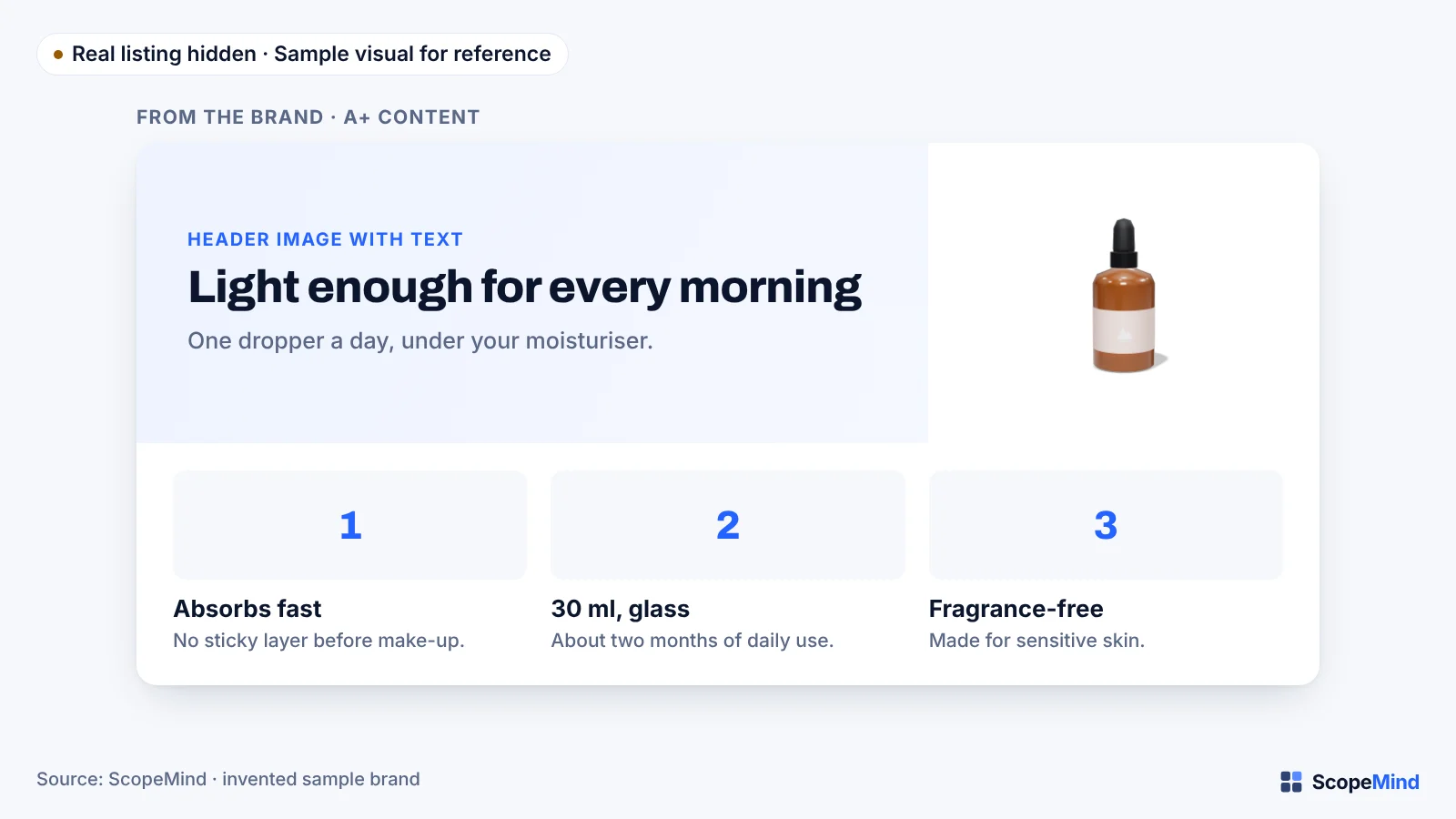
The examples below use the invented serum brand from the image at the top. The same pattern works for any product: find the questions buyers ask before they buy, then give each one its own module.
- A header that says who it is for. "Light enough for every morning" tells a shopper with oily skin that this serum is for them. A logo and a slogan alone tell them nothing.
- One feature per tile. Three tiles, three facts: absorbs fast, 30 ml glass bottle, fragrance-free. A tile that lists five features gets read as none.
- How to use it, as steps. Numbered pictures (clean skin, two drops, then moisturiser) answer the "how do I use it?" question before it becomes a return.
- A comparison chart of your own range. If you sell three serums, a chart that shows which one suits which skin type sends the shopper to the right product instead of away.
- The answer to the top complaint. Read the critical reviews of your product and your competitors'. If buyers worry the bottle leaks, show the sealed dropper.
Write image text large enough to read on a phone, because many shoppers will see your A+ content on one. Fill in the alt text for every image with a plain description of what it shows.
What is not allowed in A+ content?
Prices, promotions, shipping details, contact information and links are out, along with competitor comparisons and boastful claims.
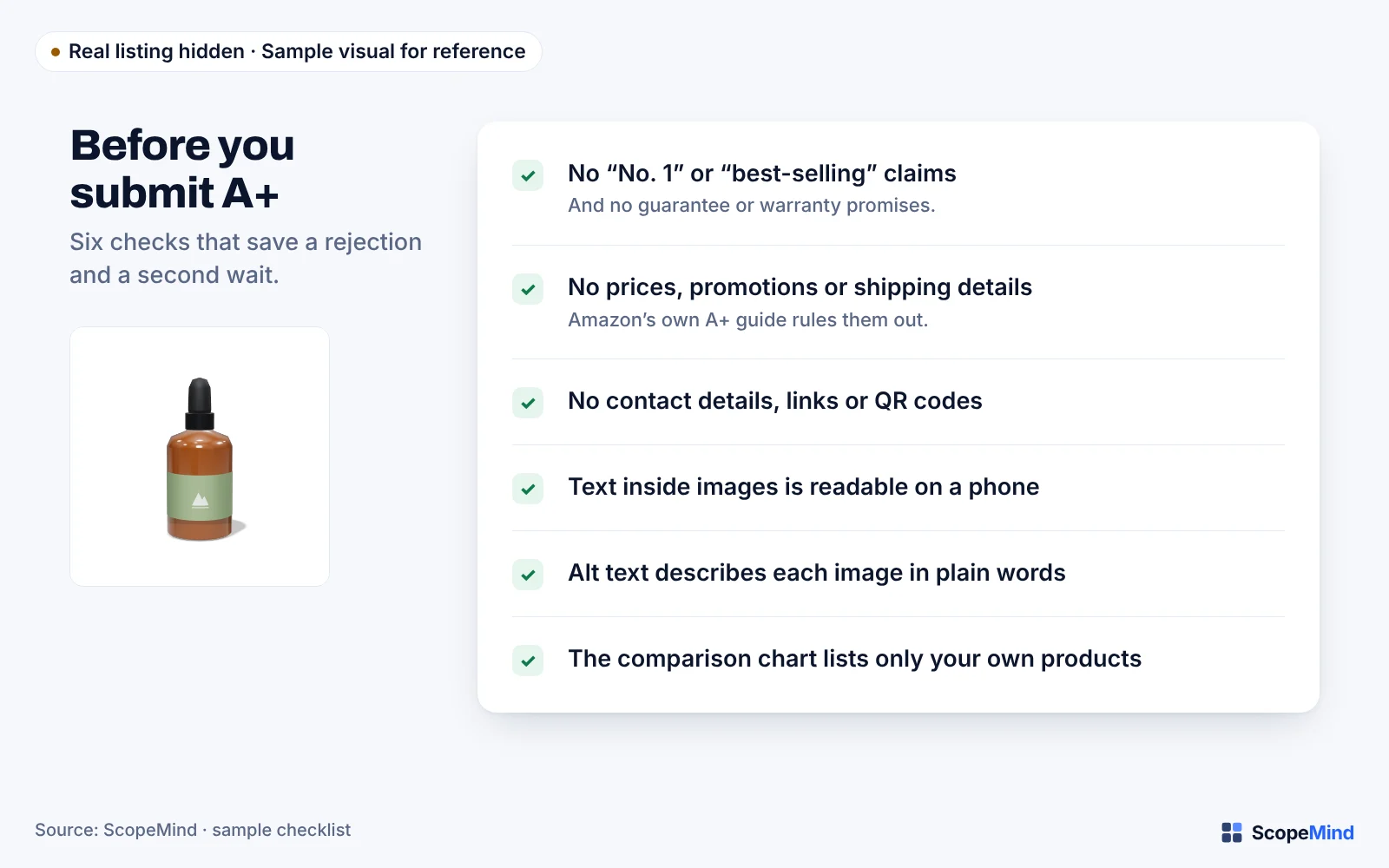
Amazon's own A+ design guide says not to include pricing, promotional or shipping details, QR codes, hyperlinks, directions to other web pages or contact information. Prices and promotions go out of date; links and contact details send shoppers away from Amazon.
Two more rules cause many rejections. A comparison chart may compare only your own products, never a competitor's. And claims such as "No. 1", "best-selling" or a guarantee are likely to be rejected unless you can prove them, so leave them out.
Which A+ changes on a competitor's page are real?
Fewer than it looks: most reported A+ changes on a large watchlist were only a comparison chart showing the same products in a different order.
Watching competitors' A+ content tells you what they are testing: a new header, a new claim, a new product in their chart. But a tool that compares the raw A+ content day by day reports a change whenever anything differs, and a lot differs that a shopper would never notice.
How big the gap is: on one large watchlist we track, 600 of the 799 A+ changes reported over 60 days were only the comparison chart's products changing order. Nothing a shopper would notice had changed.
How we measured this
ScopeMind Research, one watchlist of about 1,700 tracked products across several marketplaces, 60 days in autumn 2026. A reported A+ change counted as noise when the text, images, alt text, videos and the set of products in the comparison chart were all the same before and after, and only the order inside the chart differed.
So before you react to a competitor's "new A+ content", compare the text, the images and which products their chart lists. ScopeMind does this for you: it hides A+ changes that only reorder the chart and shows real edits with the old and new text and images side by side, so the A+ changes you see are the ones a shopper would see too.
Frequently asked questions
- Who can create Amazon A+ content?
- You need a Professional selling account and a Brand Representative or Reseller role on a brand enrolled in Amazon Brand Registry. Amazon also allows it for generic products in your catalog. Without one of those, the A+ Content Manager is not available to you.
- How long does Amazon take to approve A+ content?
- Amazon's own A+ best-practices guide says review can take up to seven business days, and longer when volume is high. A rejected project that you fix and resubmit goes through the same review again.
- Does A+ content help with Amazon SEO?
- A+ content is there to help the shopper who is already on your page decide to buy. Treat it as a conversion tool and put the search words you need in the title, bullet points and backend search terms, where Amazon clearly reads them.
- Can I compare my product with a competitor's in A+ content?
- No. Comparison charts are for your own products, such as other sizes or versions in your range. Naming or comparing a competitor's product is a common reason for a rejection.
- Why did a competitor's A+ content change when nothing looks different?
- Often the comparison chart only showed the same products in a different order. On one large watchlist we track, that was 600 of 799 reported A+ changes in 60 days. Compare the text, images and the products in the chart before you treat it as an edit.
See which A+ changes are real
ScopeMind records your competitors' listings every day and shows each A+ edit with the before and after, without the chart-order noise.
Start tracking competitor listings